GPT Image 2 Infographics and UI Mockups: Fictional Examples
Two fictional structured-visual exercises for testing hierarchy and short labels while treating charts and screens as drafts.
Fictional worked examples: SignalBoard, LUMA, their values, charts, screens, and product behavior are invented. They are not customers, real financial data, shipped interfaces, or performance evidence.
Infographics and UI mockups expose common image-generation failure modes.
The model could draw something that looked like a dashboard or a diagram, but the details were usually unusable. Labels were garbled. Buttons had fake words. Charts looked plausible until you tried to read them. A flowchart with five steps became a decorative poster with arrows pointing nowhere.
This guide records GPT Image 2 runs with defined hierarchy, short labels, and constraints. The examples do not establish a reliability rate; every output still needs text, data, and layout review.
Below are two recorded ImageLayer runs made for this article: a funnel-style illustration and a mobile-app concept. Both use fictional inputs.
When to use it
Consider this workflow for draft structured visuals, not final product design or source-of-truth reporting:
- blog infographics
- LinkedIn carousel slides
- onboarding process visuals
- sales enablement diagrams
- educational cards
- pitch deck app screens
- landing page UI concepts
- PRD illustrations
- before-and-after workflow diagrams
- product feature mockups
Do not treat the output as production UI code or a source-of-truth chart. Review it as an illustration before it appears in content, decks, docs, or product storytelling.
The structured visual formula
Use this formula for infographics:
Title:
[exact title]

Audience:
[who needs to understand this]

Layout:
[timeline / vertical flow / two-column comparison / radial diagram / labeled cutaway]

Content:
[short labels and descriptions]

Style:
[visual system, palette, typography direction]

Constraints:
[render exact text, no extra stats, no fake data, no unreadable labels]
Use this formula for UI mockups:
Screen:
[mobile app / desktop dashboard / landing page / onboarding screen]

Product:
[app name and category]

Hierarchy:
[status bar, header, hero area, cards, nav, CTA, table, chart]

Exact copy:
[button labels, titles, nav items, empty states]

Style:
[design language, colors, spacing, typography]

Constraints:
[realistic proportions, no fake logos, no unreadable microtext, no extra screens]
The important part is that the prompt reads like a design brief, not a mood board.
Example 1: Product Funnel Infographic
Use this pattern to draft a metric layout only when the source values and labels are supplied separately. The example constrains the hierarchy to a title and three cards.
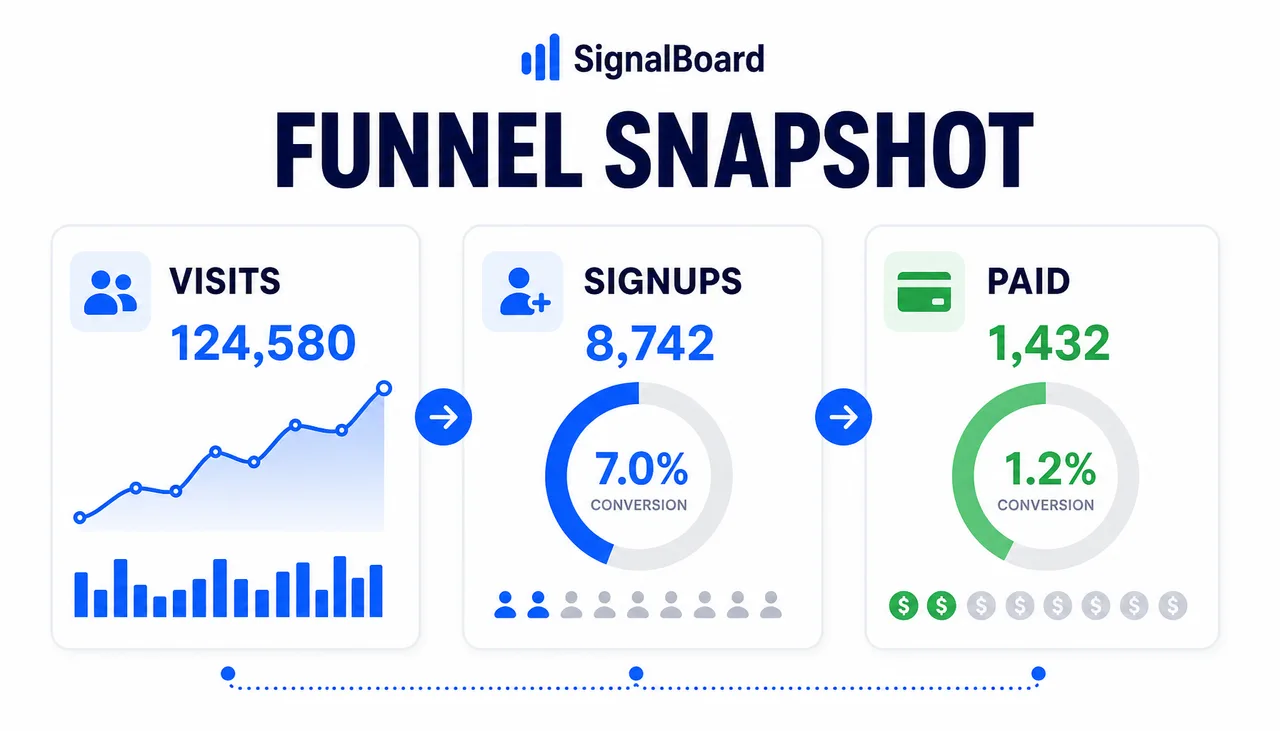
Generated in ImageLayer with General mode, GPT Image 2, X / Twitter (16:9), brand guidelines off.
Premium 16:9 bento infographic for fictional product analytics tool SignalBoard. Title reads exactly "FUNNEL SNAPSHOT". Three large cards: "VISITS", "SIGNUPS", "PAID". White background, deep navy text, electric blue and green accents, clean charts, simple icons, lots of whitespace, polished SaaS editorial style, no extra words, no watermark.What the prompt constrains: three large labels rather than a dense report, with one intended role per card.
Reusable template:
Premium 16:9 bento infographic for fictional [PRODUCT CATEGORY] called [BRAND]. Title reads exactly "[TITLE]". Three large cards: "[CARD 1]", "[CARD 2]", "[CARD 3]". [BACKGROUND], [TEXT COLOR], [ACCENTS], clean charts, simple icons, lots of whitespace, polished editorial style, no extra words, no watermark.Example 2: Mobile App UI Mockup
Use this when you need an illustrative app concept for a pitch deck, PRD, or landing-page draft before design is finalized.
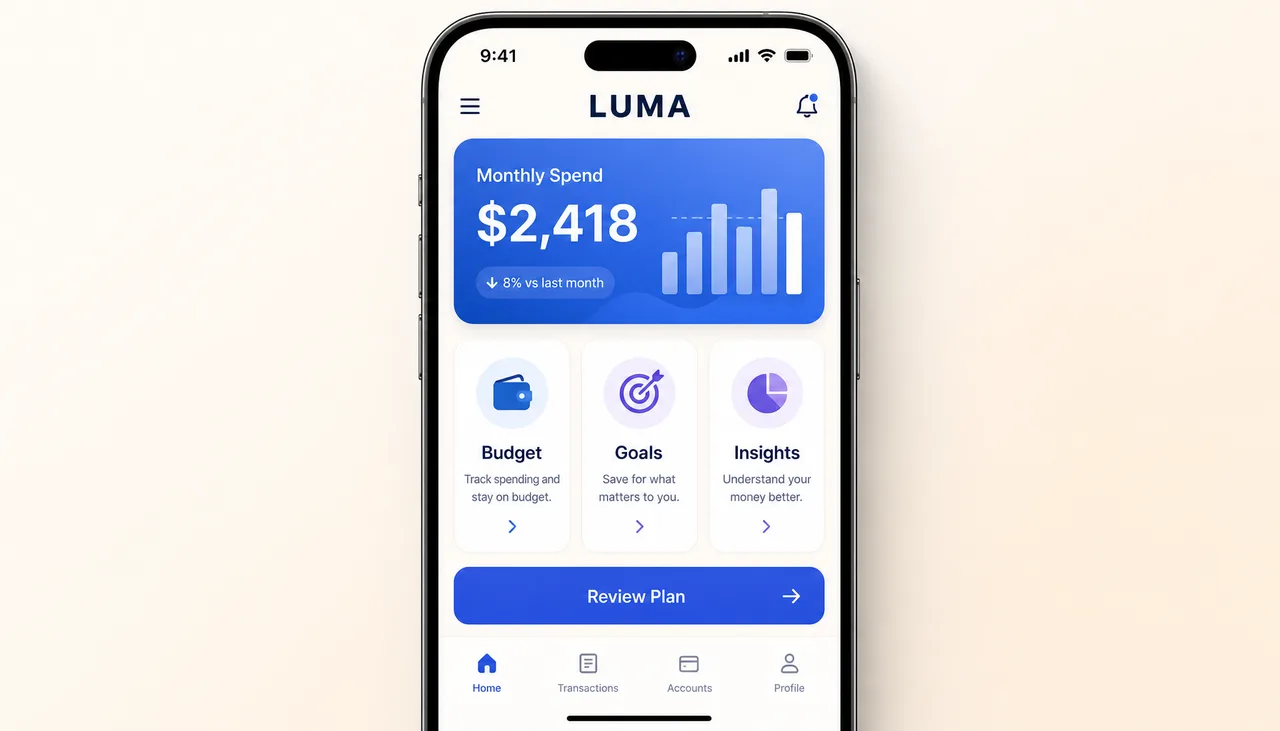
Generated in ImageLayer with General mode, GPT Image 2, X / Twitter (16:9), brand guidelines off.
High-fidelity mobile app UI mockup inside an iPhone frame, straight-on, for a personal finance app called "LUMA". Top status bar reads "9:41". Header title "LUMA". Main hero card shows "Monthly Spend" and "$2,418". Three feature cards below: "Budget", "Goals", "Insights". Primary CTA reads "Review Plan". Calm light mode, cream background, blue and violet accents, rounded cards, realistic iOS spacing. No fake logos, no unreadable microtext, no watermark.What the prompt constrains: the screen, app category, hero area, card labels, CTA, and visual system. The output can still invent or misplace details.
Reusable template:
High-fidelity mobile app UI mockup inside an iPhone frame, straight-on, for a [APP CATEGORY] called "[APP NAME]". Top status bar reads "9:41". Header title "[APP NAME]". Main hero card shows "[HERO LABEL]" and "[HERO VALUE]". Three feature cards below: "[CARD 1]", "[CARD 2]", "[CARD 3]". Primary CTA reads "[CTA]". [STYLE]. No fake logos, no unreadable microtext, no watermark.Use ImageLayer templates when the format repeats
ImageLayer includes an Infographic content type for recurring process visuals, educational cards, or internal documentation graphics.
For UI mockups, start in General mode. If an organization repeats the same format, a plan that enables custom content types can expose fields such as:
- App Name
- App Category
- Hero Component
- Card Titles
- CTA
- Style Notes
That is the pattern: prove the prompt once, then convert the repeatable parts into fields.
Common failures and fixes
Failure: The infographic has extra labels.
Fix: Add “Render only the provided text. No extra facts, labels, captions, or statistics.”
Failure: The UI looks pretty but impossible to use.
Fix: Specify hierarchy before style. Name each screen area and what it contains.
Failure: The chart looks like real data but is invented.
Fix: Use it as an illustrative visual, or provide the exact numbers and say “do not invent values.”
Failure: Text is too small.
Fix: Reduce the amount of copy and specify “readable at mobile feed size.”
The practical rule
Structured prompts give the model more explicit constraints; they do not guarantee a correct diagram or screen. Repeated formats are candidates for templates, subject to the current workspace plan.
Model availability and exact credits come from the current selector and pre-submit quote.
Keep exploring
- Explain Any Process in a Single Image - The ImageLayer Infographic template.
- GPT Image 2 Playbook - The broader GPT Image 2 workflow.
- Content Type Templates vs. Freeform Prompts - Why templates beat blank prompt boxes for repeatable work.
- Content Type Templates - How to operationalize structured visuals.