How to Brief a Process Infographic
Structure a short process as an infographic request, then verify every step, label, and relationship before publication.
Short processes are candidates for visual explanation, but a generated infographic is not a source of truth. Start from an approved sequence and treat the output as a draft.
Synthetic example: The onboarding flow below is invented teaching content, not a measured customer workflow.
How to Use the Infographic Preset
Use the Infographic content type with two fields:
- Topic: “Customer Onboarding Process”
- Key Points (one per line):
- “1. Create Account — Enter approved account details”
- “2. Guided Setup — Configure your preferences”
- “3. Import Data — Bring existing content”
- “4. Launch — Start your first campaign”
The template requests a hierarchy, labels, and connections. The model may reorder, omit, duplicate, or misspell them.
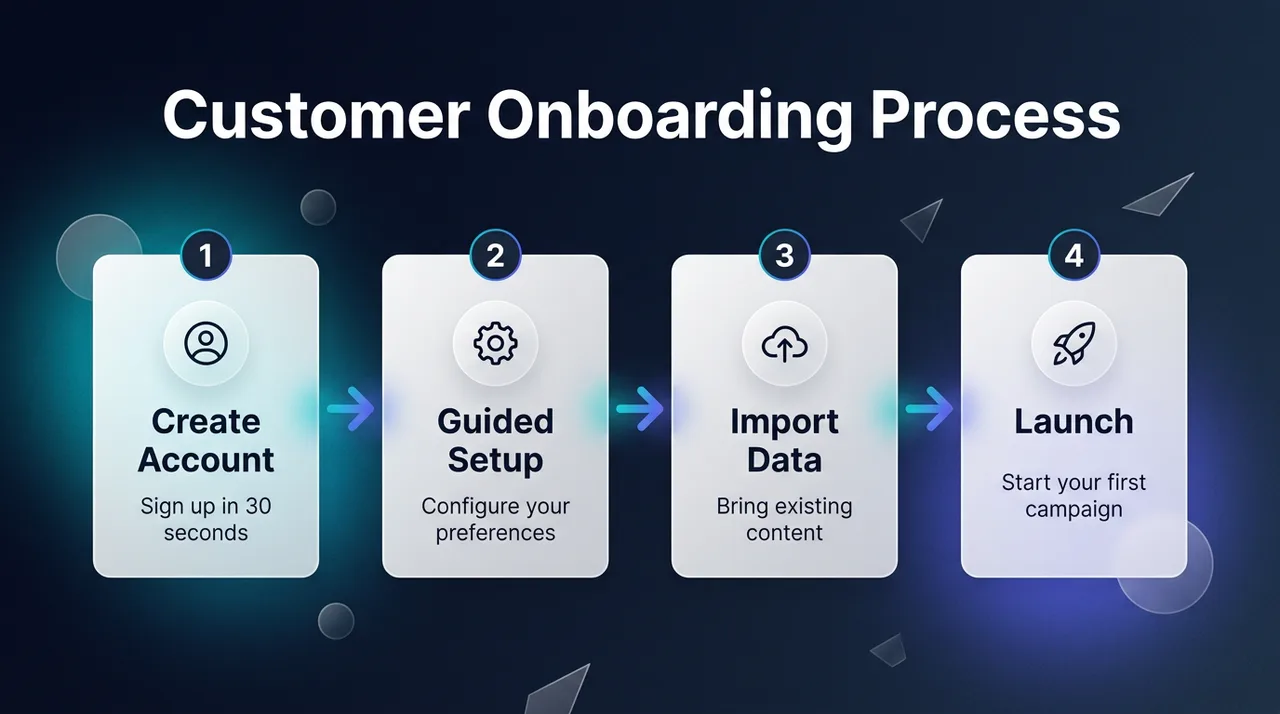
Synthetic workflow example. Check every label, number, arrow, and sequence before use.
Where Infographics Make an Impact
This preset fits anywhere that processes need to be understood quickly:
- Customer onboarding docs: Replace the “Getting Started” text wall with a visual guide
- Sales enablement: Show prospects your implementation process in one slide
- Internal SOPs: Document team processes in a format people actually reference
- Blog content: Summaries of source material that remains linked or cited nearby
- Social media: Break down industry concepts into shareable educational content
Review before publishing
- Compare each label and number with the approved source.
- Trace every connector in order; plausible-looking arrows can still be wrong.
- Add citations outside the generated image when the claims need evidence.
- Have a domain owner approve operational, legal, financial, or medical instructions.
Turn Complexity Into Clarity
Open the public Playground to inspect the template without submitting a generation. Authenticated model availability and quotes remain subject to entitlement and billing admission.