Content Type Templates vs. Freeform Prompts
Choose structured fields for repeatable graphics or a freeform brief for an unusual layout. Compare the actual template inputs and review steps.
Use a content type template when each graphic needs the same pieces of information, such as a metric, label, and reporting period. Use a freeform prompt when the subject or composition does not fit those fields. Both approaches produce a request that still needs factual and visual review.
Choose by the shape of the task
- A recurring KPI card: choose Stat / Data Highlight. Each operator supplies a value, label, and context.
- An approved quotation: choose Quote Card. The quote and attribution stay separate inputs.
- A new article to promote: choose Blog / Article Promo. The title and key takeaway form a short, repeatable brief.
- An unusual product scene or sketch-led composition: choose General. A freeform brief leaves room to describe relationships that the existing fields do not capture.
A template is an input structure. It does not lock the resulting pixels or establish that an operator’s claim is true.
What a freeform brief needs
“Create a LinkedIn image for our Q1 results” leaves the metric, comparison period, visual treatment, and format unspecified. A more complete request supplies those decisions.
Synthetic teaching brief — the number is invented:
Create a number-led stat card for a fictional quarterly report.
Value: "47%".
Label: "Year-over-year revenue growth".
Context: "Q1 2026 vs Q1 2025".
Use a calm navy background and a clear white text hierarchy.
Do not add charts, logos, extra statistics, or other claims.
Select the destination format separately and check the returned dimensions. The extra detail makes the request more specific; it does not guarantee accurate text, color, or layout. The stat-card guide explains how to review the value, unit, and comparison.
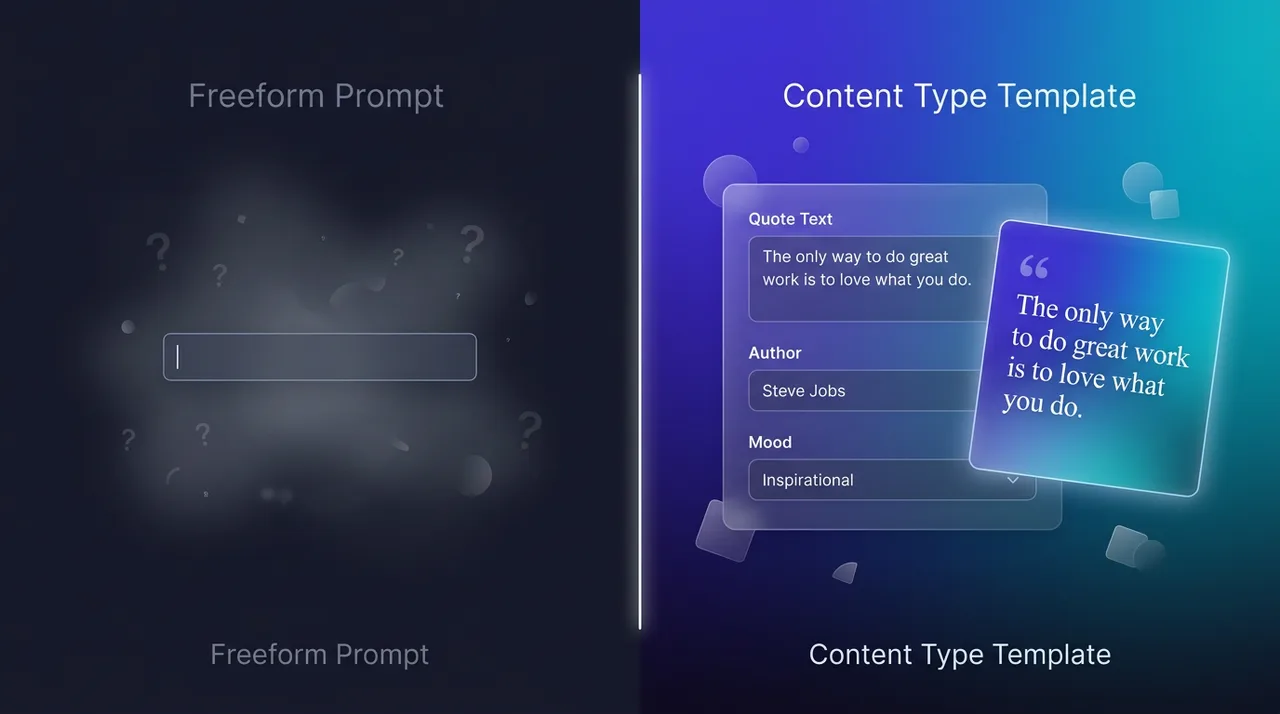
Conceptual comparison. Use the current field names below rather than treating this illustration as a screenshot of every control.
What the default templates collect
The built-in image templates use these fields:
- Stat / Data Highlight: Metric Value, Metric Label, and Context are required. Additional notes are optional.
- Quote Card: Quote and Author are required. Role / Title and Additional notes are optional.
- Blog / Article Promo: Article Title and Key Takeaway are required. Additional notes are optional.
For a quote, retain the speaker’s approval and verify the attribution. For an article promo, choose a takeaway supported by the article. Styling notes should not add an unverified statistic or invent a customer’s words.
The widget assembles the configured fields into a request and can include saved brand context. Follow the Content Type Templates walkthrough for a recorded stat-card example, or Branding & Guidelines to understand prompt guidance and final overlays.
Separate content from format
The content type defines what information the image should communicate. A Platform preset requests the destination format. The same approved quote may need different crops for a portrait post and a landscape slide; inspect each result independently.
If the task no longer fits a template, switch to General and write a complete brief. A fictional sketch-to-image workflow shows how a rough layout can complement that brief. Sketches guide composition but do not enforce exact placement.
Where a workspace plan enables custom content types, an organization can define fields for its own recurring format. Check the dashboard for the current plan limit. Adding a field is useful when it captures a decision operators otherwise miss, not merely because the form could be longer.
Evaluate with the same approved content
Compare a template and a freeform request using the same copy, model, brand settings, and destination preset. Record the quote and the output for each run. Review whether the operator supplied a complete brief and whether the result preserves the approved meaning, readable text, and usable crop.
Treat that comparison as evidence about those runs. It does not establish a general improvement in speed, adoption, or generation quality.
Open the public Playground to compare the inputs without submitting a generation. For an authenticated run, review the available model and credit quote before confirming.