How to Brief a Promotional Offer Graphic
Structure an offer, terms, urgency cue, and visual direction while keeping the approved promotion record outside the generated image.
You’re running a 20% off weekend sale. You post about it on Instagram. The caption is great. But the image is either a stock photo of shopping bags or a hasty Canva creation where the text is slightly off-center and the colors don’t match your brand.
Promotional visuals need a clear hierarchy. They also need exact terms, so generated text must be checked against the approved offer.
Synthetic example: The bakery, discount, dates, code, thresholds, and delivery terms below are invented teaching data.
How to Use the Promo Offer Preset
Use the Promo / Special Offer content type with four fields:
- Offer Headline: “20% OFF All Cakes This Weekend!”
- Offer Details: “Valid April 5-6. Use code SWEET20 at checkout. Minimum order $30. Free delivery on orders over $50.”
- Urgency Element: “This weekend only”
- Visual Style: “Bold and colorful”
The template requests a prominent offer and supporting terms. It does not verify the promotion or guarantee readable text.
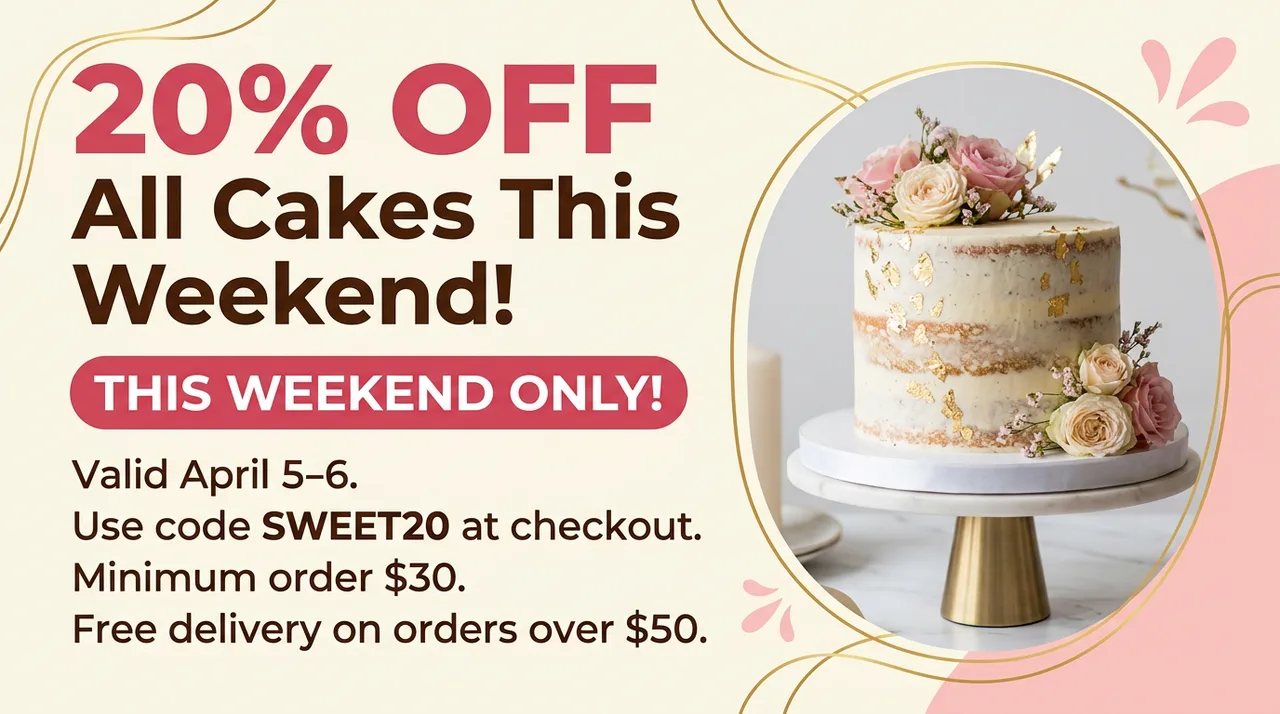
Synthetic workflow example. Verify every date, amount, code, restriction, and legal line before publication.
Promotions That Work With This Preset
Any deal that needs visual impact:
- Seasonal sales: Black Friday, Valentine’s Day, back-to-school – each with the right visual tone
- Flash deals: Limited-time offers with approved start and end times
- New customer discounts: Welcome offers for email subscribers or first-time buyers
- Bundle promotions: “Buy 2 get 1 free” offers with clear terms
- Loyalty rewards: Exclusive deals for repeat customers that make them feel valued
Review before publishing
- Compare offer text, code, dates, currency, thresholds, and exclusions with the promotion record.
- Keep full terms in accessible HTML or linked copy rather than relying on text inside an image.
- Create and inspect each target format separately.
- Measure campaign performance in your own channels; the template does not promise an outcome.
Stop Losing Sales to Bad Graphics
Open the public Playground to inspect the template without submitting a generation. Authenticated requests remain subject to entitlement and billing admission.